The HUANUO FlowLift dual monitor stand review comes down to compatibility and desk fit: this clamp or grommet mount supports two monitors and offers broad positioning adjustments.
It suits a workstation that needs screens lifted off the desktop, provided both displays and the wooden desk meet its size, weight, and mounting requirements.
HUANUO FlowLift Review Summary
The quick verdict
34,000+ ratings
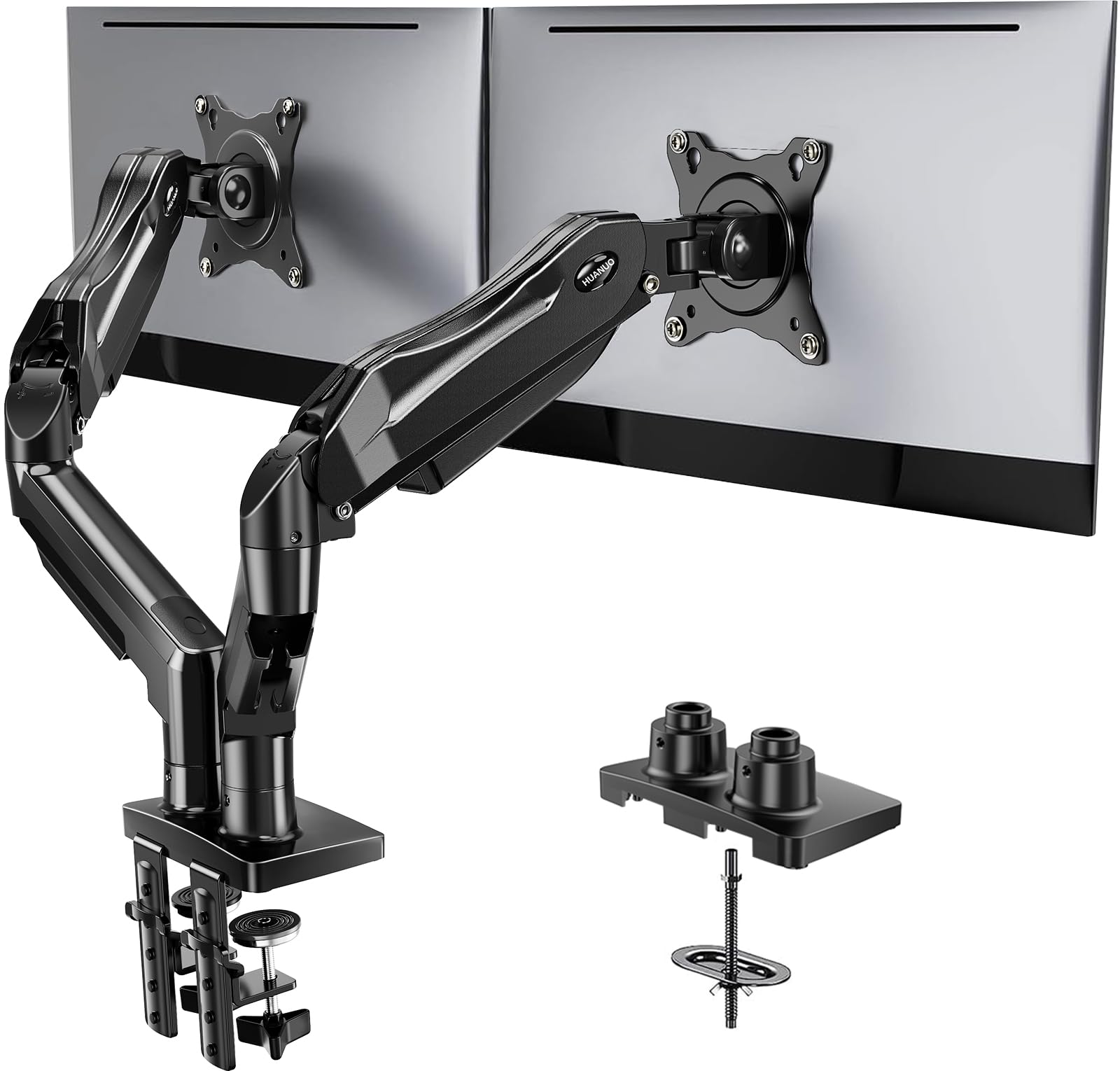
Read Amazon ReviewsHUANUO FlowLift Dual Monitor Stand
A fit for two VESA monitors on a compatible wooden desk, with flexible positioning and cable routing for a tidier workspace.
- Designed for two monitors measuring 13 to 32 inches, each weighing 4.4 to 19.8 pounds.
- Requires VESA mounting holes with a 75 by 75 mm or 100 by 100 mm pattern on each monitor.
- Offers +85°/-50° tilt, ±90° swivel, and 360° screen rotation.
- Raises monitors up to 15.75 inches and allows repositioning for landscape or portrait viewing.

Pros
- Supports two screens with a broad range of tilt, swivel, and rotation adjustments.
- The 15.75-inch maximum lift can help place monitors at a more suitable viewing height, depending on the desk and seating arrangement.
Consider before buying
- Desk compatibility is specific: the design calls for a wooden desk within the stated thickness range and a clear underside at the mounting point.
- Each screen has to fit both the size and weight limits and have the right VESA mounting pattern; size alone is not enough.
Read the full review summary
FlowLift combines two adjustable arms with a desk-mounted base, letting users move screens closer, swivel them, tilt them, or turn them into portrait orientation.
Its supported screen range spans 13 to 32 inches, but each display must also weigh between 4.4 and 19.8 pounds and have a 75 by 75 mm or 100 by 100 mm VESA pattern.
The design is aimed at people who regularly switch between tasks or want to free desk space beneath two monitors. Cable guides along the arms help keep wiring orderly.
The main purchase decision is whether the monitor and desk restrictions fit your setup; measure and check these before choosing it.
The buying factors
HUANUO FlowLift Scorecard
Editorial scores reflect listed features and buyer fit; they are not laboratory measurements or customer ratings.
Dual-screen compatibility
Supports two displays from 13 to 32 inches, within a specified per-screen weight range and VESA pattern.
Positioning range
Tilt, swivel, full rotation, and height adjustment allow a range of viewing positions and orientations.
Desk-space recovery
The arms lift both displays from the desktop, leaving the surface beneath them more available.
Cable organization
Built-in routing along the arms can keep cords together and out of the main work area.
Mounting flexibility
C-clamp and grommet installation give two attachment options, subject to desk construction and thickness.
Setup flexibility
The specified desk conditions, including a wooden surface and clear underside, limit where it can be installed.
Key Features and Specifications of HUANUO FlowLift
- Designed for two monitors measuring 13 to 32 inches, each weighing 4.4 to 19.8 pounds.
- Requires VESA mounting holes with a 75 by 75 mm or 100 by 100 mm pattern on each monitor.
- Offers +85°/-50° tilt, ±90° swivel, and 360° screen rotation.
- Raises monitors up to 15.75 inches and allows repositioning for landscape or portrait viewing.
- Uses a C-clamp or grommet mount on a wooden desk 0.59 to 3.54 inches thick; the underside must have clearance without cross beams or panels in the mounting area.
- Built-in cable management guides cords along the arms, while mounting both monitors above the desktop can open up work surface.
Pros and Cons of HUANUO FlowLift
Pros
- Supports two screens with a broad range of tilt, swivel, and rotation adjustments.
- The 15.75-inch maximum lift can help place monitors at a more suitable viewing height, depending on the desk and seating arrangement.
- Clamp and grommet installation options accommodate more than one desk mounting approach.
- Lifting screens and guiding cables along the arms can make a compact workstation easier to organize.
Consider before buying
- Desk compatibility is specific: the design calls for a wooden desk within the stated thickness range and a clear underside at the mounting point.
- Each screen has to fit both the size and weight limits and have the right VESA mounting pattern; size alone is not enough.
- The height range is specified up to 15.75 inches, so buyers who need a particular screen position should check the full setup geometry before ordering.
Who Should Buy HUANUO FlowLift?
Good fit
Consider FlowLift if you have two compatible VESA monitors and want to adjust their position through the workday.
The combination of tilt, swivel, rotation, and height adjustment is useful for users who move between documents, calls, coding, or other tasks that benefit from a changed screen angle or orientation.
It is also a reasonable fit when desktop space is at a premium. Mounting the displays above the surface and routing cables along the arms can leave more room for a keyboard, notebook, or other equipment.
Before buying, confirm the weight and VESA pattern for each display, then check desk material, thickness, and underside clearance.
Who should skip it
Look elsewhere if either monitor falls outside the 13-to-32-inch or 4.4-to-19.8-pound range, or lacks one of the supported VESA patterns.
Also avoid this design for a plastic or glass desk; the product specifies wooden desks and a clear mounting area beneath the top.
If the desk is thicker or thinner than the supported range, or a beam or panel blocks the clamp or grommet location, verify another mounting solution that matches the actual desk before committing.
HUANUO FlowLift Review: Fit, Movement, and Desk Setup
Check every monitor requirement
A screen diagonal is only one part of compatibility. For each display, confirm the weight is between 4.4 and 19.8 pounds and identify whether its back has 75 by 75 mm or 100 by 100 mm VESA holes.
A monitor outside any one of those conditions is not within the described fit.
Plan around the mounting point
The desk must be wooden and between 0.59 and 3.54 inches thick.
The underside also needs to be free of cross beams or panels where the hardware attaches, so inspect the intended location rather than assuming every part of the rear edge is usable.
The C-clamp and grommet methods provide a choice, but both depend on a suitable mounting area.
Use movement to shape the workspace
Tilt and swivel let the screens angle toward a seated position, while rotation makes portrait orientation possible for tasks that benefit from taller pages.
The stand raises the displays up to 15.75 inches, so consider how that maximum relates to your chair, desk, and preferred eye line before installation.
Consider the daily desk routine
By moving two screens off the desk surface, FlowLift can provide space underneath them, and its arm guides can help keep cords together.
Those features matter most on a desk where the added mounting hardware fits comfortably and where monitors are repositioned often enough for the range of movement to be useful.
Alternatives to HUANUO FlowLift
Computer Monitor Arms alternative
60,000+ ratings
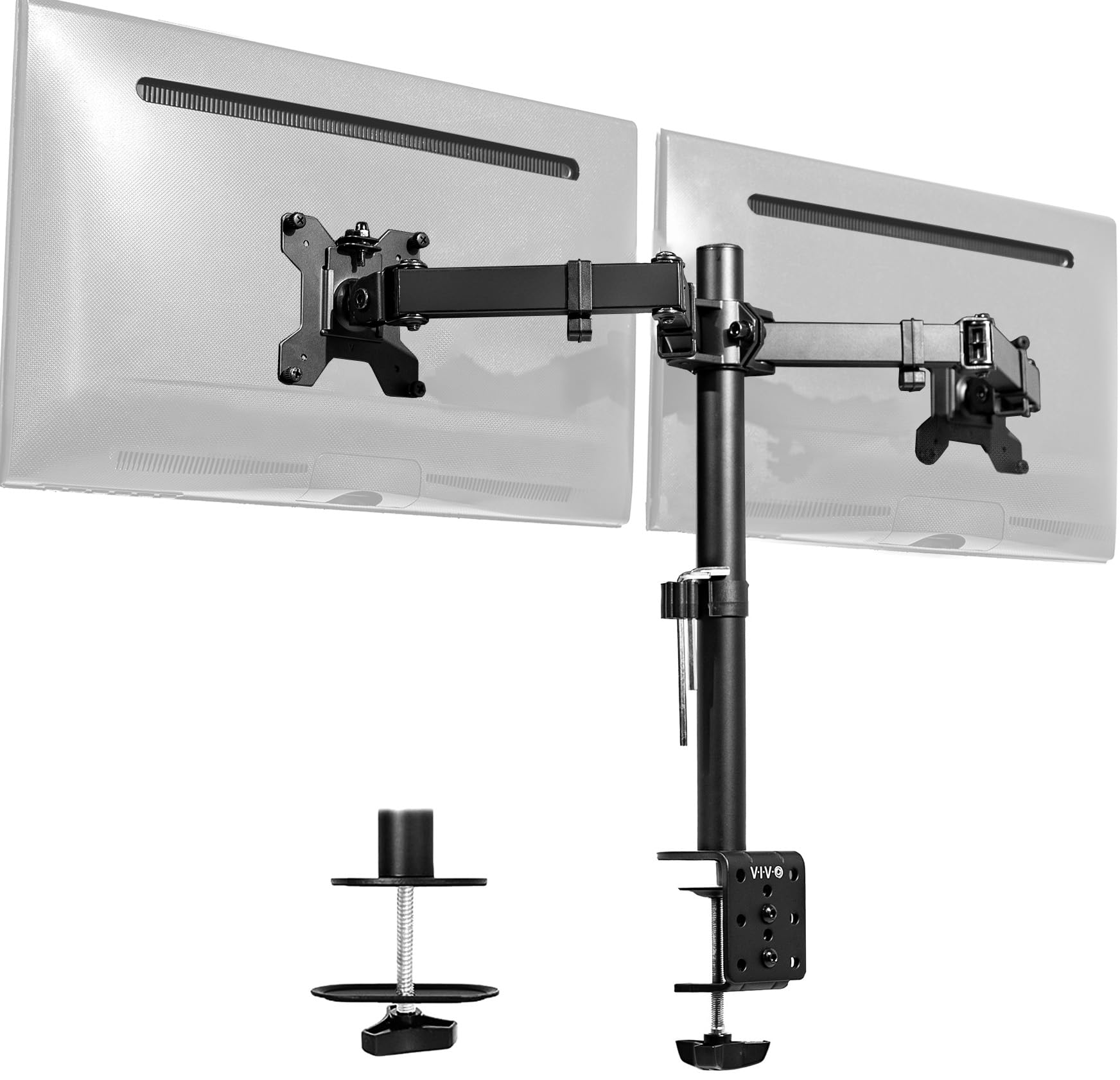
Read Amazon ReviewsVIVO STAND-V002 Dual Monitor Desk Mount
Choose FlowLift if your monitors measure up to 32 inches and its desk requirements match your setup.
Consider the VIVO if a screen is heavier than FlowLift allows but still within 22 pounds, or if you prefer its stated tilt range; note its smaller maximum screen size.
- The VIVO mount supports two 13-to-30-inch screens up to 22 pounds each with 75 by 75 mm or 100 by 100 mm VESA holes.
- It offers +90°/-90° tilt, 180° swivel, 360° rotation, and height adjustment along a center pole, with clamp or grommet mounting for desks up to 3.25 inches thick.
- FlowLift supports monitors up to 32 inches and 19.8 pounds each, with +85°/-50° tilt, ±90° swivel, 360° rotation, and up to 15.75 inches of lift.
- It requires a wooden desk and specifies a thickness range of 0.59 to 3.54 inches.
Computer Monitor Arms alternative
2,000+ ratings
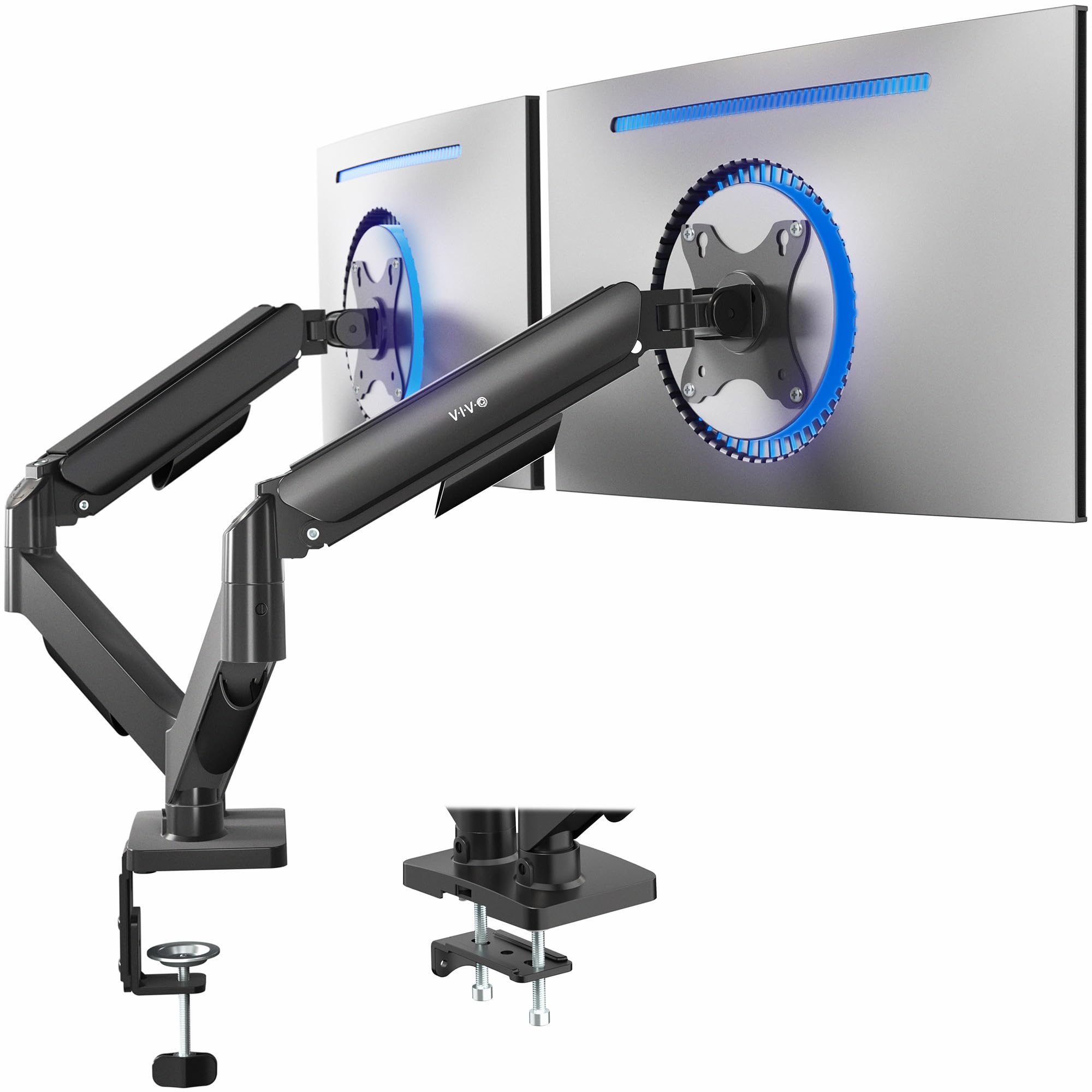
Read Amazon ReviewsVIVO AeroPoise Dual Monitor Stand
The screen weight and upper size limits are similar, so choose based on monitor dimensions and mounting preference.
FlowLift includes 13-to-16-inch displays in its stated size range and specifies a taller maximum lift; AeroPoise describes spring-assisted counterbalance and has its own desk thickness limits to check.
- AeroPoise is designed for 17-to-32-inch displays weighing 4.4 to 19.8 pounds each.
- It uses mechanical spring adjustment, supports +90°/-90° tilt, 180° swivel, and 360° rotation, and mounts with a C-clamp or bolt-through grommet.
- Its desk-top limits are 3.1 inches for the clamp and 1.9 inches for the grommet.
- FlowLift accommodates screens from 13 to 32 inches and 4.4 to 19.8 pounds each, and provides clamp or grommet mounting for qualifying wooden desks.
Is HUANUO FlowLift Worth It?
The HUANUO FlowLift Dual Monitor Stand is worth considering if you have two displays that meet its size, weight, and VESA requirements and a suitable wooden desk.
Its flexible positioning, cable routing, and raised-screen layout address common dual-monitor workspace needs.
Measure the desk and inspect the underside at the installation point before buying, then confirm both monitor specifications.
If those conditions fit, FlowLift offers a useful combination of adjustment and desktop space recovery; if they do not, choose a mount whose compatibility matches your equipment and desk.
Your review at a glance
34,000+ ratings
Read Amazon ReviewsHUANUO FlowLift Dual Monitor Stand
A fit for two VESA monitors on a compatible wooden desk, with flexible positioning and cable routing for a tidier workspace.
- Designed for two monitors measuring 13 to 32 inches, each weighing 4.4 to 19.8 pounds.
- Requires VESA mounting holes with a 75 by 75 mm or 100 by 100 mm pattern on each monitor.
- Offers +85°/-50° tilt, ±90° swivel, and 360° screen rotation.
- Raises monitors up to 15.75 inches and allows repositioning for landscape or portrait viewing.